Excel & CSV imports
Bring in sale transactions using a standard import template. Review imported rows before preparing output. Try the sample Excel workbook.
Capital gains reporting · Windows desktop software
Import investment sales from Excel or CSV, organize realized capital gains and losses, and prepare Form 8949 PDFs without typing every transaction into a tax form.
$99 one-time license · Windows · Demo adds a visible DEMO watermark to exported PDFs until licensed.
Want to test the Excel import? Download the free 2025 sample workbook (.xlsx)
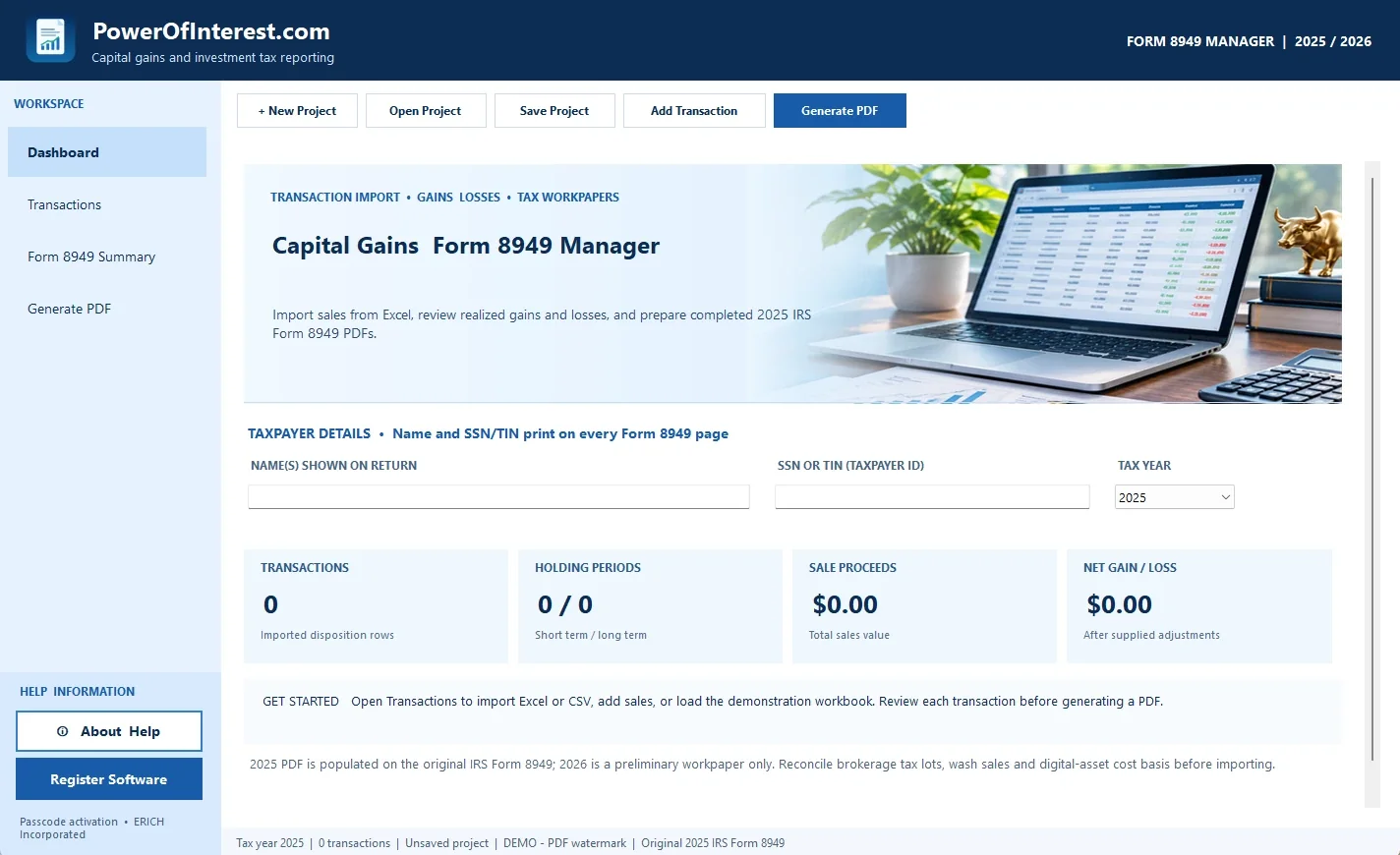
A focused workflow for taxpayers, bookkeepers, and preparers who have capital-asset dispositions already organized in a spreadsheet.
Bring in sale transactions using a standard import template. Review imported rows before preparing output. Try the sample Excel workbook.
Organize sale dates, proceeds, reported cost basis, supported adjustments, and realized gain or loss.
Generate PDF output on the original IRS 2025 Form 8949 artwork, including name and taxpayer ID on the pages.
Save and reopen projects rather than re-importing the entire transaction list for each review.
Add, edit, and remove transaction rows, and review categories and figures before generating a PDF.
Evaluate the software in DEMO mode. Registration removes the DEMO watermark from PDFs created afterward.
FREE EXCEL SAMPLE
Download an Excel workbook containing 28 fictional 2025 sales, an instructions sheet, additional examples, and demo validation checks. Open it in Excel or import the Import Transactions worksheet into Form 8949 Manager. No purchase required.
ERICH Incorporated · PowerOfInterest.com · Windows desktop application
No. It prepares a PDF for your review and use with a tax return. The program does not electronically transmit a return to the IRS.
You can prepare preliminary 2026 supporting workpapers. Official Form 8949 PDF output in the current version is for tax year 2025.
No. You must supply and verify cost basis, appropriate adjustment codes, and amounts. The program organizes and calculates from the records provided.
Yes. Download the free sample 2025 transactions workbook (.xlsx). It contains 28 fictional transactions, an instructions tab, example transactions, and validation checks. Use the Import Transactions worksheet to test the application's Excel import.
Demo mode permits evaluation and places a DEMO watermark on generated PDFs. A valid registration passcode removes that watermark from future PDFs; existing files remain unchanged.
Use the request link above or email support@powerofinterest.com. When the Windows installer and purchase options are published, the download and secure checkout buttons will appear automatically.