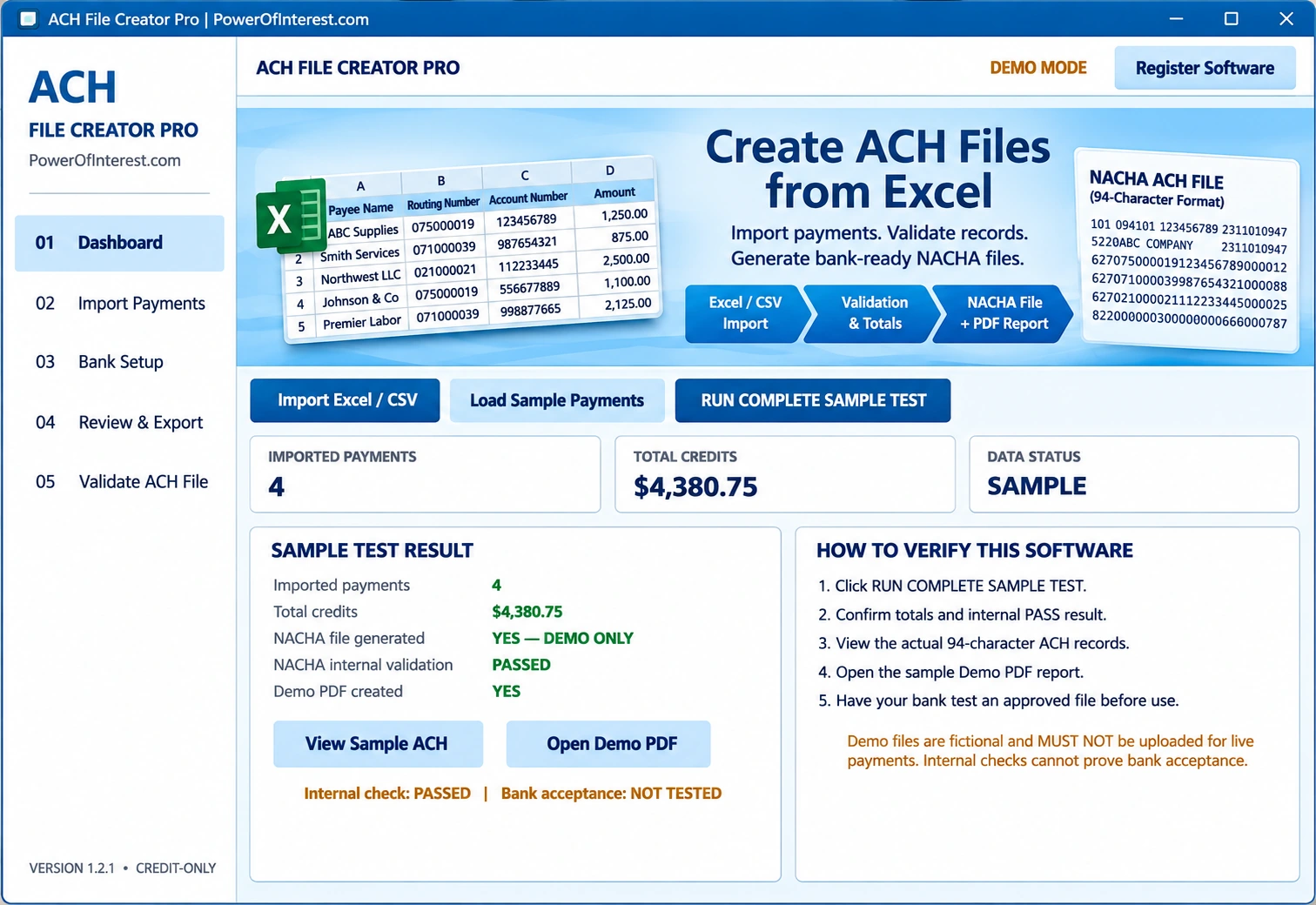
Import Excel or CSV
Bring in payee names, bank routing and account numbers, and payment amounts without manually retyping every record.
Windows ACH / NACHA file creation software
Create ACH credit files from Excel or CSV. Validate payment records, review control totals, and export standard 94-character NACHA files for bank testing and upload.
$199 one-time Windows license. Online checkout and demo installer are not connected yet; email us for purchasing details.
From Excel payments to bank-ready formatting
Bring in payee names, bank routing and account numbers, and payment amounts without manually retyping every record.
Check imported payment counts, total credits and file results before preparing an export.
Generate standard 94-character ACH file records for supported credit workflows.
Run internal format checks, inspect the generated record text, and produce a sample PDF report.
Simple desktop workflow
No. It prepares ACH file records for review and bank upload. It is not a payment processor, and the bank must approve ACH origination.
The program's demo uses fictional records and shows internal formatting checks. Your bank must test and approve a properly configured production file.
The version shown is credit-only. Ask us to confirm the supported ACH credit entry classes and compatibility with your bank before purchasing.
Yes. This is a Windows desktop application. A separate ACH file upload or origination service may be required by your bank.
The one-time license is listed at $199. Online checkout and a downloadable installer have not yet been added to this website; contact us to arrange a purchase.
Security reminder: Banking account information is sensitive. Follow your company's data-protection and bank file-handling policies.