Why use the Windows software?
More control than a basic amortization calculator
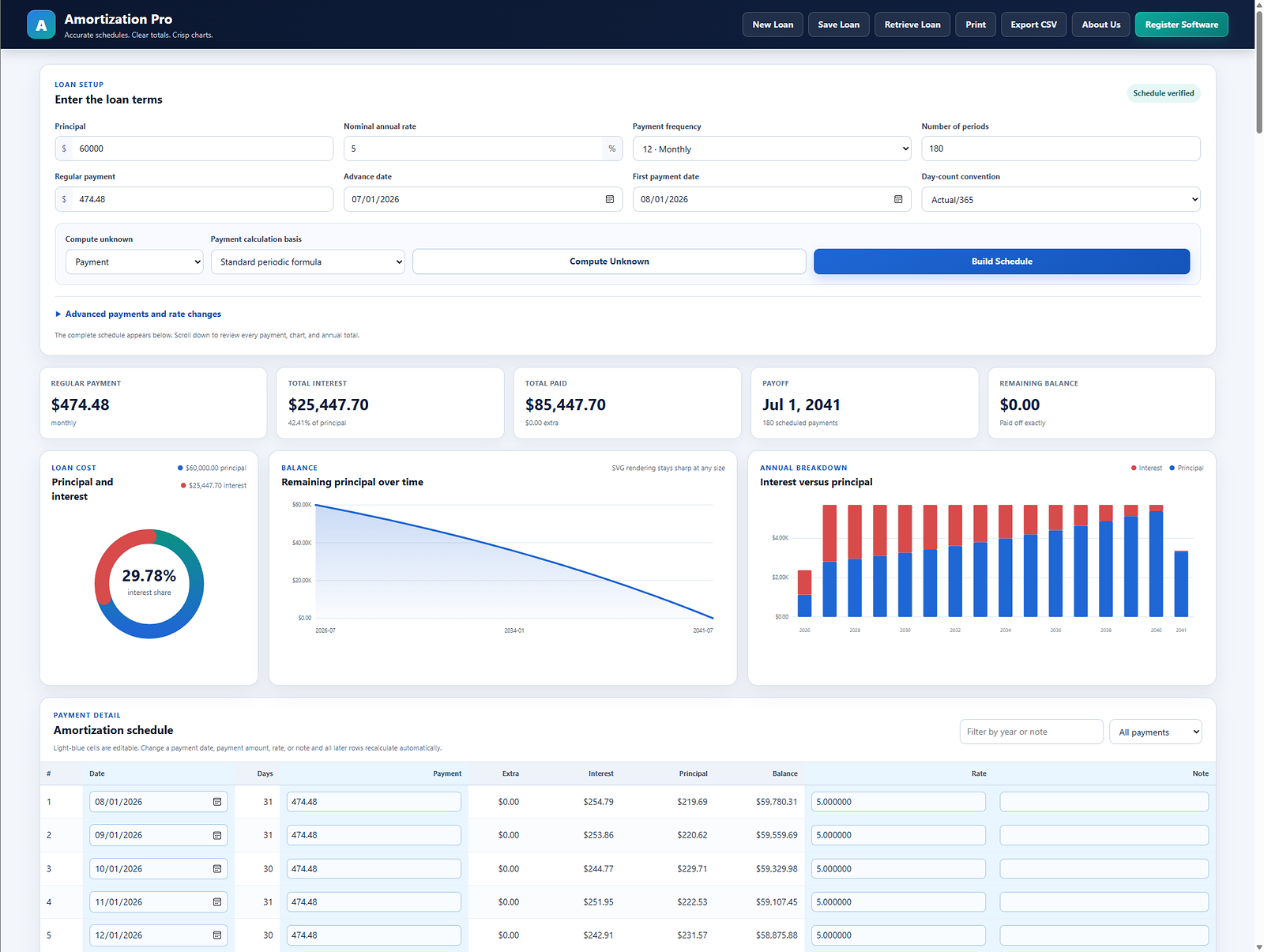
Online calculators are ideal for a quick answer. Amortization Pro is for the point where the schedule becomes a working file: a payment date changes, an extra principal payment is posted, the interest rate changes, a balloon is required, or you need to save the loan and print a professional report.
- Edit individual rows: payment dates, amounts, rates, and notes.
- Automatic recalculation: later rows update after a change.
- Handle real loan changes: extra principal, rate changes, balloon dates, and multiple frequencies.
- Keep the work: save and retrieve loan schedules instead of re-entering the loan.
- Deliver the result: print reports, review annual totals and charts, and export CSV.
Instant online registration after PayPal purchase — no waiting for email. One-time purchase · No subscription · Secure payment through PayPal · Free evaluation available · Refund policy · License terms
One-time license per Windows installation. No forced monthly subscription.
Compare all three ways to use it
| Capability | Free online | Windows evaluation | Registered software |
|---|---|---|---|
| Build complete schedules | Yes | Yes | Yes |
| Charts and annual totals | Yes | Yes | Yes |
| Print reports | Yes | Yes | Yes |
| Edit individual payment rows | No | During evaluation | Yes |
| Save and retrieve loans | No | During evaluation | Yes |
| Principal limit | None for basic schedules | $60,000 after five uses | None |
| Price | $0 | $0 | $49 per installation |
Schedule types and adjustments
The software supports standard periodic schedules plus common adjustments:
- Monthly, semimonthly, biweekly, weekly, quarterly, and annual frequencies.
- One-time and recurring extra principal payments.
- One or more interest-rate changes.
- Balloon payoff dates and remaining balances.
- Interest-only regular payments and final-payment adjustment.
- Editable payment dates, amounts, rates, and notes.
Reports, files, and registration
Review total interest, total paid, payoff date, remaining balance, annual interest-versus-principal totals, and payment-level details. Print the complete report or export the schedule to CSV.
After purchasing through the Power of Interest PayPal checkout, the server verifies the completed payment and records the sale before opening the secure registration page. Open Register Software in Amortization Pro, enter the Installation ID shown by the program, and the one-time passcode is generated immediately. No second PayPal login or manual email response is required.
Current version and release details
| Product | Amortization Pro |
|---|---|
| Version | 4.2.2 |
| Release date | July 28, 2026 |
| Platform | Windows desktop |
| Single license | $49 one-time purchase |
| Four-license pack | $196 one-time purchase |
Compare Amortization Pro with other software
Amortization Pro is designed for affordable, editable Windows loan schedules. Other products add capabilities such as lease calculations, annuities, Mac support, multi-client accounting files, or additional export formats.
Review the factual amortization software comparison to compare Amortization Pro, TValue 6, and Amortization Plus 2 by current price, platform, schedule flexibility, reports, exports, and evaluation options.
Build and compare the schedule
Use the free amortization calculator for a standard schedule. Use the registered Power of Interest software when you need to edit individual dates, payments, rates, or notes and save the revised loan.